Build landing pages without a designer, developer or writer.
- ✓ A publish-ready landing page, without a single handoff
- ✓ Copy, design and build from one short conversation
- ✓ On-brand by default, so nothing ever looks generic
- ✓ Your next campaign page in CMS, not in a queue
Launch Your Next Campaign
Your next landing page could be a CMS draft in under 2 minutes.
Check Your Inbox!
We've sent the Landing Page Builder AI Agent .md file
with full setup instructions for Claude and Webflow.
 4.2
4.2
See the Landing Page Builder AI Agent in Action.
From Signup to Webflow Draft in 4 Steps
No coding required. No complex setup. Just answer a few questions and approve the page.
Get the Builder
Enter your details above. We'll email you the .md file.
Open in Claude
Upload the .md file to Claude.ai or Claude Desktop, with Webflow connected.
Answer the Questions
Tap through a handful of multiple-choice cards. The agent writes the rest.
Approve & Build
Review the live preview, approve it, and the page lands in Webflow as a draft.
This tool must run on Claude, not ChatGPT, Gemini, or other AI tools
The Landing Page Builder AI Agent is built for Anthropic's Claude and connects directly to your Webflow site to build the page for you. Run it elsewhere and you'll get rough copy with no way to preview the page or build it into your site.
Why should a landing page take weeks instead of minutes?
The gaps the traditional workflow leaves behind, closed on every page by the Landing Page Builder AI Agent.
| Step | The Traditional Way | Landing Page Builder AI Agent |
|---|---|---|
| Getting the Copy | Brief it, wait for a draft, edit rounds | Written for you from a few answers |
| Design | Queue behind the design team | Matches your brand or explores a style |
| Build | Dev ticket, hand-off, back-and-forth | Built straight into Webflow as a draft |
| Seeing It First | Imagine it from a doc or mockup | Live, full-page preview before any build |
| Made-Up Claims | Easy to slip through | Every invented stat or quote flagged |
| Going Live | Risk of publishing too early | Stays a draft until you publish it |
Work Samples, Straight from Webflow CMS.
Copy, layout and CTAs generated from a few answers — delivered as an editable draft, ready for your final review.
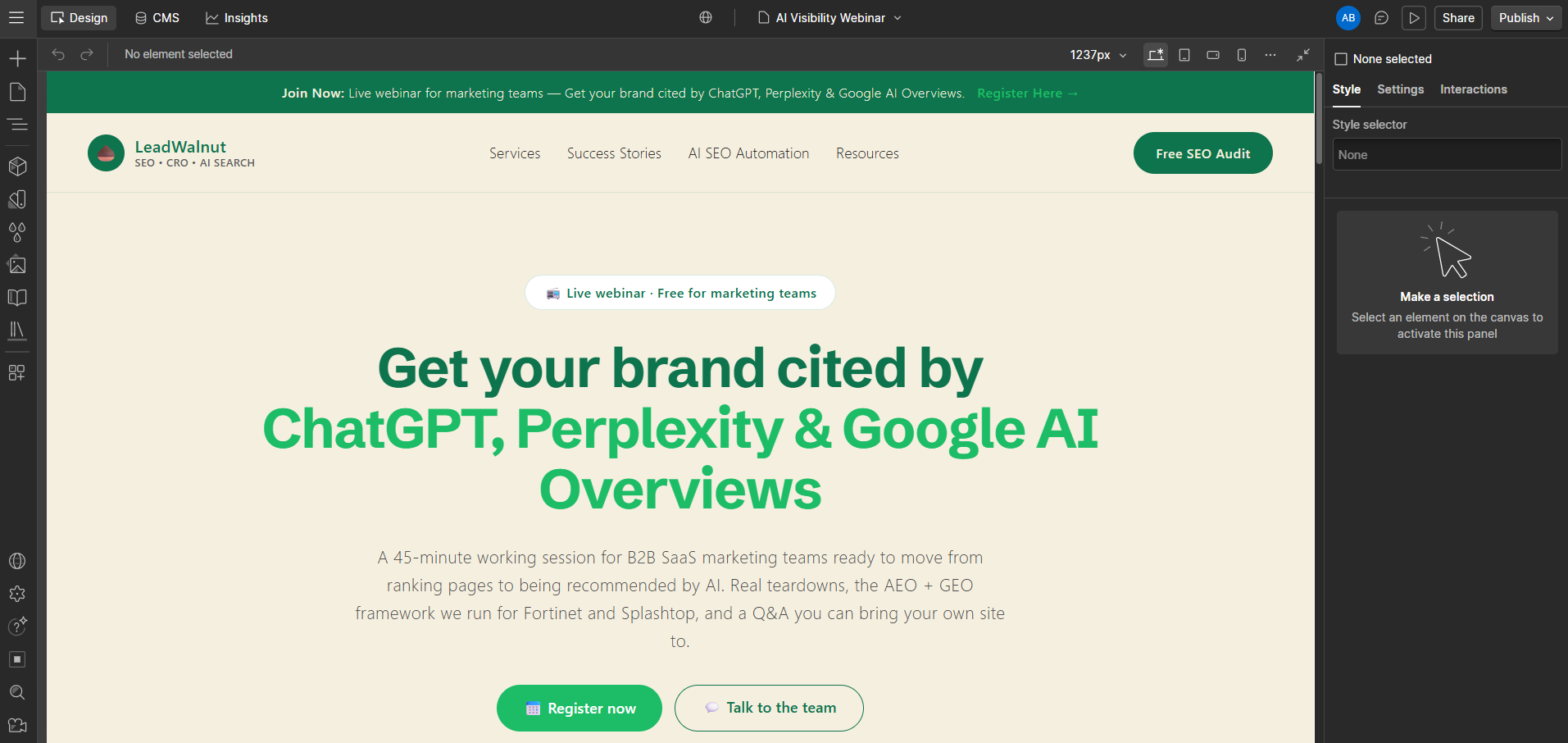

What the Landing Page Builder Agent actually builds
Below is an example of what it provides as output.
Landing Page Builder AI Agent: Output
A complete landing page build — copy, section structure, and design ready for Webflow.
How the Landing Page Builder AI Agent Works
The same conversion playbook LeadWalnut runs for enterprise B2B clients.
Answer a Few Questions
- Page purpose — launch, ad, event, or lead magnet
- Your audience and the one action you want them to take
- Product name, what it does, and 3–6 key benefits
The Copy and Look, Done For You
- Full copy for every section — hero to FAQ to final CTA
- Matches your site's brand, or explores a fresh style
- Every invented stat or quote is flagged, never faked
A Draft in Your Webflow CMS
- See the whole page live before anything is built
- Approve, tweak the copy, or switch the style
- Never published automatically — you go live on your schedule
Built for marketing teams who want to ship - not wait.
Anyone who needs a page live within a day, without the usual queue.